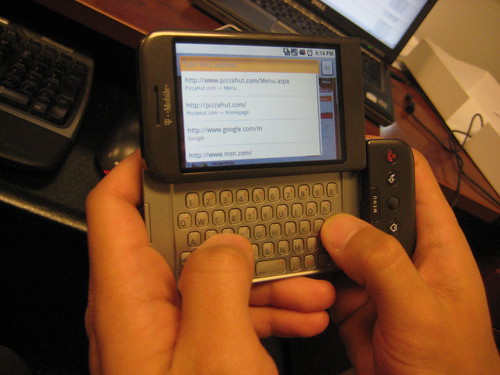
Despite a flurry of recent reports (here, here and here) suggesting that Google has banned the term netbook from its ad-network, I could still spot at least one ad featuring the word netbook on Google's ad-network, as of today
Sunday, February 22, 2009


Saturday, February 21, 2009
An Obsession For Perfection - A Common Mistake In Corporate Email Disclaimers
I believe that I'm obsessed with perfection. I like finding imperfections and shortcomings, and I feel good when these flaws and shortcomings are put to rest. I have a strong belief that if processes are in place to discover and correct flaws - small or big - then processes and systems will improve quickly. Analogies can be drawn between finding and correcting flaws, and debugging and testing.
Yesterday, when I read the following email disclaimer of a leading consulting company, I felt uncomfortable on finding a flaw.
+=========================================================+
This message may contain confidential and/or privileged information. If you are not the addressee or authorized to receive this for the addressee, you must not use, copy, disclose or take any action based on this message or any information herein. If you have received this message in error, please advise the sender immediately by reply e-mail and delete this message. Thank you for your cooperation.
+=========================================================+
The disclaimer requests the unintended recipient to advise the sender by reply email, and requests deletion of only the original message. It should also have been requested to delete the reply email, since almost all reply emails include a copy of the original email (without attachments).
Unadulterated nitpicking for sure. But that's what obsession is about.
An Idea For Truly Portable Applications
Thursday, February 05, 2009
Portable apps that are portable across operating systems (Linux, Mac, Solaris, Windows)
An excerpt from a Wikipedia article on portable applications:
"There is a very restricted category of software that can support a sort of double portability, being both stand alone and cross-platform compatible, able to run on different hardware with little or no modifications, perhaps with minor restrictions. One such software is SymbOS, whose main modules can in their present form be executed on both Amstrad CPC and MSX machines without modification. Only some of its bundled applications are hardware-dependent. To a much lesser extent, Macintosh fat binary applications could be considered as cross-platform, but not always truly portable."
While reading this paragraph, it occurred to me that it is easily possible to create a portable version of Mozilla Firefox which is portable across popular operating systems (Linux, Mac, Solaris, Windows).
 A typical install of Firefox consists of two parts. On Windows XP, these are:
Potential benefits of such a release:
"There is a very restricted category of software that can support a sort of double portability, being both stand alone and cross-platform compatible, able to run on different hardware with little or no modifications, perhaps with minor restrictions. One such software is SymbOS, whose main modules can in their present form be executed on both Amstrad CPC and MSX machines without modification. Only some of its bundled applications are hardware-dependent. To a much lesser extent, Macintosh fat binary applications could be considered as cross-platform, but not always truly portable."
While reading this paragraph, it occurred to me that it is easily possible to create a portable version of Mozilla Firefox which is portable across popular operating systems (Linux, Mac, Solaris, Windows).
 A typical install of Firefox consists of two parts. On Windows XP, these are:
- Core program (platform dependent): Typically, it's inside C:/Program Files/Mozilla Firefox
- User data (platform independent): Typically, it's inside C:/Documents and Settings/Username/Application Data/Mozilla/Firefox
Potential benefits of such a release:
- No need to use Foxmarks, at least for some users. Hop across OSes without having to sync anything.
- Carry the application platform as well as applications, across operating systems. To me, this one benefit has disruptive potential. Imagine that a user has a HyperPortable version of Firefox (the one envisioned in this post), and the user installs some extensions on it (a calculator, some basic games, a basic word processor, etc.). The HyperPortable version of Firefox allows the user to carry not only Firefox (and user data) across OSes, it also allows carrying these applications that run on top of Firefox. As Web browsers start being used more and more as application platforms, the importance as well as usefulness of this portability will only increase.
Monday, February 02, 2009
Goodbye To AltaVista Audio Search
First I have to admit something - I have, in the past, downloaded a few songs (illegally), using AltaVista Audio Search. And for the same reason, I went to AltaVista Audio Search page once again a few days back, only to find that it doesn't exist anymore. It was not only surprising, it was disappointing as well.
I have always liked AltaVista. I've resorted to it many times, to gain access to the very-relevant yet somewhat-different-from-Google results of Yahoo Search, via a lean, clean and fast user interface (cleaner and lighter than Yahoo Search). And I fell in love with AltaVista ever since I started reading The Search (where delicious accounts of the birth of AltaVista, and its pioneering achievements in the initial days of the Internet can be read). Watching Yahoo gradually cripple the legendary search giant makes me a little sad.
Here's a screenshot from the cache of Live Search, where AltaVista Audio Search is still alive

About Me - My Photo Albums On Picasa
Saturday, January 31, 2009
PREDICTION: Google Chrome Web Browser Will Be A Hit Among Netbook And Subnotebook Users
Because of the following (incomplete) list of reasons, I believe that Google's new Web browser, named Chrome, will be a hit among Netbook, and Subnotebook (alias minilaptop & ultraportable) users: -
 It can be observed that almost all of Chrome's strengths result from its ability to use the hardware resources more efficiently. On Netbooks, whose very essence is small (small form factor, small display, small keyboard, lesser memory, slower CPU, slower GPU, etc.), Chrome should be able to provide an experience that no other contemporary browser can. These reasons also apply to Subnotebooks, albeit to a lesser extent.
BARRIER TO SUCCESS OF CHROME ON NETBOOKS
A key barrier to the success of Chrome on Netbooks and Subnotebooks is awareness about it among the general public. As of now, Chrome is hardly known outside the set of tech-savvy computer users. As users receive Netbook machines loaded with a flavor of Windows OS, whether they choose to download, install and use Chrome, or resort to the bundled-by-default IE, depends on Google's ability to make Chrome as well known as its flagship Google.com search engine.
OEM DEALS TO BUNDLE CHROME ON NETBOOKS
To partially mitigate the above barrier, it makes sense for Google to strike deals with Netbook vendors such as ASUS, Acer, etc., to include Chrome as the default Web browser. Netbook users who are not familiar with Chrome may initially find it alien; however they should be able to find their Web experience noticeably degraded if they try switching to other browsers (because of aforementioned reasons). This should bring these users back to Google Chrome. The slowly-gained familiarity with Chrome may convert some or many of them to Chrome on their regular computing machines as well.
Update 4-2-09: For the reasons mentioned previously for Netbooks and Subnotebooks, Chrome should provide an improved Web experience on other computing devices, such as MIDs and UMPCs.
About Me - My Detailed Profile
- Minimalist user interface: In contrast to other contemporary Web browsers (especially Firefox 3.0, and to a lesser extent, Internet Explorer 8, Safari 3.x and Opera 9.x), Chrome 1.x has a lean / minimalist user interface that does away with the title bar, the file-edit bar, and the status bar. The result is a UI that consumes non-insignificantly less display space, allowing a larger proportion of the display area to be devoted to the webpage / Web-application being used by the user. Netbooks typically have display size <=10 inches (measured diagonally), and this characteristic of Chrome should result in a significantly improved Web experience, relative to that provided by competing browsers such as Firefox 3.
- Reduces effort required by users: Chrome includes features that reduce the amount of effort required on the part of users, to get to various webpages or Web-applications. The Omnibox (a multipurpose box on the top of Chrome's UI) acts as a search box too, so a user doesn't have to make any effort to select a separate search box, or to go to a search engine such as Google. Omnibox displays suggestions for typed queries, which can potentially reduce the amount of additional typing required. Finally, as a user types a URL or a query, Omnibox displays results from the user's search and URL history, again reducing the effort required on the part of the user. The default new tab page, which displays a list of recent bookmarks, recently closed tabs, and thumbnails of 9 most visited websites, is another feature that has the potential to reduce the amount of typing required. Netbooks typically have keyboards and touchpads that are smaller than those found on standard-sized laptops, and this reduced need to type and click should result in an improved Web experience for users.
- Faster rendering of webpages and Web-applications: One of the most hailed features of Chrome is its V8 JavaScript engine. This engine is able to execute JavaScript code significantly faster than competing browsers such as Internet Explorer 8, Opera 9.x, and Firefox 3.0. Chrome uses WebKit as its layout engine, which allows it to render non-JavaScript code fast as well (Safari also uses WebKit). This increase in speed of rendering webpages and running Web-applications results in an improved user experience for users, especially on those webpages and Web-applications that make heavy use of JavaScript and other code. Netbooks typically have CPUs that are significantly slower than those in standard laptops, and the increased rendering and JS execution speed that Chrome brings (on relatively slower processors - on which competing browsers are expected to give a relatively sluggish experience) should result in a significantly better Web experience in Chrome, compared to competing browsers.
- Improved system memory management: Google Chrome uses a multi-process model, and reclaims all the system memory that was being used by a tab, when that tab is closed. This model - although it has the disadvantage of an increased memory overhead for each tab - is overall better than the single-process model used in competing browsers such as Firefox 3.x and Opera 9.x, because as tabs are closed in Chrome, all the memory in use is reclaimed. This is not true for single-process browsers such as Firefox 3.0 or Safari 3.x. Unless a user opens too many tabs, this model should be able to consume less memory on an average. Netbooks typically have significantly less RAM compared to standard laptops, and the improved memory management / reclamation features of Chrome should result in a visibly improved experience for users, especially relative to competing browsers such as Safari 3.x and Firefox 3.x, which do not reclaim all of the memory used in past.
 It can be observed that almost all of Chrome's strengths result from its ability to use the hardware resources more efficiently. On Netbooks, whose very essence is small (small form factor, small display, small keyboard, lesser memory, slower CPU, slower GPU, etc.), Chrome should be able to provide an experience that no other contemporary browser can. These reasons also apply to Subnotebooks, albeit to a lesser extent.
BARRIER TO SUCCESS OF CHROME ON NETBOOKS
A key barrier to the success of Chrome on Netbooks and Subnotebooks is awareness about it among the general public. As of now, Chrome is hardly known outside the set of tech-savvy computer users. As users receive Netbook machines loaded with a flavor of Windows OS, whether they choose to download, install and use Chrome, or resort to the bundled-by-default IE, depends on Google's ability to make Chrome as well known as its flagship Google.com search engine.
OEM DEALS TO BUNDLE CHROME ON NETBOOKS
To partially mitigate the above barrier, it makes sense for Google to strike deals with Netbook vendors such as ASUS, Acer, etc., to include Chrome as the default Web browser. Netbook users who are not familiar with Chrome may initially find it alien; however they should be able to find their Web experience noticeably degraded if they try switching to other browsers (because of aforementioned reasons). This should bring these users back to Google Chrome. The slowly-gained familiarity with Chrome may convert some or many of them to Chrome on their regular computing machines as well.
Update 4-2-09: For the reasons mentioned previously for Netbooks and Subnotebooks, Chrome should provide an improved Web experience on other computing devices, such as MIDs and UMPCs.
About Me - My Detailed Profile
Sunday, January 25, 2009
Commercialization Of Open Source Poses A Serious Threat To Vendors Of Proprietary Software
I've been observing the developments taking place in the packaged software landscape for some years now, and an interesting practice that I (and probably others) have noticed is the commercialization of open source software, by rivals of well-established proprietary software vendors.
 What are the implications of these practices?
A partial list of examples of this practice (sorted alphabetically): -
- Adobe Flex Builder - Eclipse
- Adobe Integrated Runtime - WebKit
- Apple Mac OS X - BSD
- Apple Safari - KHTML / WebKit
- Borland JBuilder - Eclipse
- Google Andriod - Linux / WebKit
- Google Chrome - WebKit
- Google Picasa (for Linux) - Gecko
- IBM Lotus Symphony - Eclipse / OpenOffice.org
- Red Hat Linux - Linux
- Zend Studio - Eclipse
 What are the implications of these practices?
- Catapult effect: Vendors such as Google, which otherwise would've taken months or maybe years to build (from scratch) feature-rich yet stable versions of their software products (in case of Google, these are Andriod, Chrome, Picasa for Linux, etc.), can now come out with refined and souped-up versions of open source software - in mere weeks. Time saving apart, potentially millions of dollars in development and testing is also saved. I would go as far as to say that open source software is a blessing for vendors such as Google - so while most of the evolutionary and maintenance work is done by third-parties, Google (and others) get to eat the fruit. The "lead", which vendors such as Adobe and Microsoft used to have over other vendors, matters less now in those areas where rival vendors have commercialized open source software. Imagine a vendor coming up with a slick photo-editing software, based on GIMP, which removes all the annoyances of GIMP.
- Customer concerns about support & services: Why are many enterprises and SMBs wary of adopting open source software? One of the major reasons is support & services. Commercialization of open source software mitigates this concern. Take Red Hat Linux, or CollabNet Subversion - these come with support & service options, just like those from vendors such as HP / Microsoft. And this largely eliminates a key barrier to adoption of open source software.
- The Long Tail: Yet another effect of commercialization of open source software is the development of software packages targeted at niche markets. These specialized versions of open source software (or standard versions used with a combination of paid plug-ins) appeal to users with specialized needs. Anyone familiar with The Long Tail should be able to grasp the meaning of what I'm trying to say. So using the same KHTML / WebKit code, different vendors have come up with software development tools that are "specialized" - Chrome, Epiphany, iCab, Midori, OmniWeb, Safari, etc.
In summary, commercialization of open source software poses a real, a serious threat to those vendors, which are hell bent on developing and selling proprietary software built from scratch. They call it reinventing the wheel.
P.S. I wrote this post in SRWare Iron browser (a fork of the open source Chromium browser, on which Google Chrome too is based)
Friday, January 02, 2009
Analysis Of Skill-Increment Required To Win A Losing Quake III Arena Match
I've recently started playing Quake III Arena, and I'm already liking it a lot. I was playing a deathmatch in which there were only 2 players - me and a bot. The bot had scored 15 frags while I had scored 10 in the same time. The limit of frags was 20.
Let's mathematically analyze the increment required in my fragging/killing/playing skill (in percentage terms), to be able to win this match, to find out if I have any chance of winning this match.
 I played 66.67% as good as the bot (since I scored 10 frags while he scored 15 - in same time). If I continue to play same way, I will have got 3.33 frags in the time he gets 5 - and he shall win the match. To be able to win, I need to score 10 frags in the time he scores 5 (his frag score should tend to 5, but shouldn't actually touch 5 - else he would win). This means I need to play twice as good as he has played so far, to be able to win this match. Sad! Also, compared to my own past performance, I need to play an astounding 200% better [{(10/3.33)*100}-100] to win the match.
This explains why - having reached this point - the chances of me winning this match are narrow.
However, this analysis would not have been true had the bot scored 3 frags and I had scored 2 (although even in that case I would've played 66.67% as good as him). This is because the confidence with which it can be said that I played 66.67% as good as the bot is very low for small number of frags such as 2 or 3, whereas in the case number of frags is 10 or 15, the confidence increases.
See The List Of Books I Have Read
Thursday, January 01, 2009
Google's Evil Quest As The Default Search Engine In Microsoft Internet Explorer 7
Today I uninstalled Google Toolbar 5 from my IE 7 (it made the already cluttered interface of IE 7 look more cluttered). After that, I performed a reset on of IE 7, using this inbuilt feature


 I hoped that doing this - after uninstalling Google Toolbar - would undo every customization that Google Toolbar had done to IE 7. It turned out that even after uninstalling Google Toolbar and resetting IE 7, two leftover things persisted.
First annoyance - and this is a disturbing one - is that even after resetting IE 7, Google continues to be the default search engine, and Google-as-the-default-search-engine cannot be changed (also, all other search engines I had manually added got removed - except Google)
 Secondly, Google Toolbar Notifier - this program remains in Program Files (although I did not find a running instance of the executable in Task Manager)

 At Google Operating System, I had read this and this post, and after my today's observation, it is easy to conclude that Google has not corrected all the "bugs" in its toolbar (most likely on purpose). Google may be taking every clever step to maintain an image of a good boy, but its actions speak loudly that the company does engage into evil practices.
See Photography By Me On Flickr
Tuesday, December 30, 2008
Apple Safari 4.0 Developer Preview Has Problems With The Acid2 Test
It seems that Apple Safari 4.0 Developer Preview (526.12.2) has trouble with the Acid2 test.
In a restored down window, it passes the test
 However, if the window is maximized, Safari corrupts the correctly-rendered image
 Safari also incorrectly renders the Acid2 test, if horizontal length of the window is made small
 The extent of corruption increases as the horizontal length is decreased further
 Finally, Apple engineers have still not solved the annoying white line bug in Safari - it looks so crude and unprofessional
 However, despite all this, it's reassuring to see that this build of Safari shines in the Acid 3 test

See My Photo Albums On Picasa
PREDICTION: Google Android Operating System Will Steal Market Share From Microsoft Windows
Google's Android operating system, the way I see it, holds more potential than Apple Mac OS, in its ability to supplan Microsoft Windows as the mainstream OS.
Although Android has started from smartphones, I believe that it will soon start shipping on netbooks, then nettops, and finally on mainstream desktops and laptops/notebooks.
 Multiple factors will be responsible for this
Although Android has started from smartphones, I believe that it will soon start shipping on netbooks, then nettops, and finally on mainstream desktops and laptops/notebooks.
 Multiple factors will be responsible for this
- The pressure to reduce prices of devices (Android is free and open source) will attract hardware makers (smartphones, netbooks, nettops, desktops, laptops, etc.) to Android. Also, the alleged discomfort that hardware makers have with Microsoft's licensing terms will be another factor pulling device makers to Android. Multiple device makers will flock to Android, and the market will see a huge surge in the number of devices of various shapes, sizes and prices - all powered by Android
- The capabilities and quality of Android as an operating system: Android, the way I see it, is a capable and complete operating system, and not a mobile-optimized and stripped-down version of a desktop operating system. There is nothing that stops the use of Android on mainstream desktops and laptops. And being open source software, bugs will be discovered and removed quickly - like it has been with Firefox and Linux
- The discomfort-with and hatred-for Microsoft and Windows: I believe that one of the chief reasons for the success of Firefox has been the devotion with which fans of Mozilla and Firefox have made efforts to develop, evolve, improve, promote and use it. The hatred for Microsoft, combined with the love for Mozilla caused millions of Microsoft users to shift to Firefox, and these converts also converted many of their friends and family members to Android. This same set of users will be among the first ones to install and try out Android, should it be available for the desktop. This set of users - probably millions in number - will be more than happy to use a Linux-kernel based operating system over Windows. This same set of users will develop, evolve, improve and ultimately spread Android to others
- Android is backed by Google. And many more heavyweights: Unlike Firefox, which is backed by the not-so-rich Mozilla, Android has the formidable backing of Google. Google has the financial and industry position to invest heavily in development, partnerships, and massive promotions, and unlike Microsoft, Google isn't hated by the community at large, at least apparently. It seems that developers are not only comfortable with Google, they are actually happy with it. Doubtlessly, most users are, as well. Add to this the support of the other members of OHA, and it's easy to see that the young Android already has lots of support
- Android-powered devices stay close to our heart: With iPod, Apple brought our whole collection of music to our pocket. We didn't need to have the collection on our Windows powered machine, thus reducing the need/role of Windows in one way. Android-powered smartphones will reduce the need/role of Windows-powered machines in multiple ways - we will be carrying our entire music, photos and videos collection right inside our Android-powered smartphone. Large-sized display will make Web browsing and online video more entertaining/productive/useful, and will also make watching locally stored photos and videos more fun. There will be lesser and lesser need to boot the Windows machine. Click a photo using the phone, and post it on Orkut or Facebook from within the phone - no need to transfer it to the laptop
- Location-specific information and social-networking: Wireless network, Wi-Fi and GPS, all allow a user's location to be discovered, and based on that tailored search results (among other things) can be provided to the user - not usually available on a desktop. Also, location enables creative and engaging new ways of social networking. Local and social will thus be yet more reasons why Android-powered devices will be more useful to the user than his Windows-powered desktop/laptop
- Application and data portability resulting from Cloud/SaaS applications: Google will push its Cloud-based services such as Gmail, Google Calendar, Google Docs, Picasa Web Albums, Google Maps, Blogger, etc., over native desktop applications in Android (user data resides on the servers, and is accessible from any other computer or smartphone). So while users temporarily switching from Android to Windows will be able to access their applications (Gmail, Blogger, etc.) and hence data on their Windows-powered machines, the reverse will frequently not be true (Microsoft is notorious for making the experience of its products poor on rival platforms - it's hard to imagine that an Outlook user will have seamless access to his Outlook data on an Android device)
- The sheer weight of Windows: While Android is fast even on a mobile device, Windows is often complained to be slow even on desktop machines. This sheer weight associated with Windows makes it less practical to run it on mobile devices, without heavy modifications. Because Google has started from a mobile device, it's easy for Google to upscale Android for a desktop machine. Microsoft, on the other hand, will have a tough time stripping Windows to enable it run with a decent speed on mobile devices. The dramatic difference between Windows Mobile and Windows Vista/7 create an inconsistent user experience, a situation Android should not suffer
- The halo effect: An interesting fact is that while on the desktop, users resist using an unfamiliar operating system, on mobile devices they happily use whatever proprietary system is given to them (Symbian, BlackBerry and the various flavors of proprietary OSes in low- or mid-end Nokia, Samsung and Sony Ericsson phones). This fact will ensure that users will adopt Android OS on their phones as easily as they adopt other mobile OSes. Over time, these users will get familiar with the OS (its applications, UI, etc.), and when presented with a desktop computer powered by Android OS, these users will have no difficulty in using it or being productive on it. In fact, users who like Android may actually ask for it - Dell, HP, Toshiba, Acer, Sony and Lenovo should not make the grave mistake of ignoring Android as merely a smartphone OS
- Android is cool to use and cool to Flaunt. And Google is cool too: One of the key reasons why people buy a Mac, iPod or iPhone is the cool to use and makes me look cool among my friends factor. This image associated with Apple and Google is a far cry from the boring and corporate image associated with Microsoft. I believe that the coolness of Android (applications/features and UI), the coolness of owning a Google-powered device, and the coolness of telling friends that my phone runs Android, will be a non-insignificant factor in the adoption of Android
- The image of Windows is tarnished: If the unfriendly image of Microsoft was not enough, the image of Windows is apparently quite poor. Windows is considered an operating system that is slow, and is often plagued by viruses and other malware. Macs, on the other hand, are perceived to be fast, secure and free from malware. If Google succeeds in keeping Android free from malware and privacy/security issues, people who are fed up with Windows will want to move to Android (just like these people want to move to Macs)
- Android can be customized and even forked: Many device makers and wireless carriers like to customize the core OS according to their specific desires or needs. The open source nature of Android allows device makers to customize the OS. Device makers who do not get this flexibility with Windows Mobile or Symbian may choose Android instead. What's more, Android can even be forked to create an entirely customized operating system
- Android will improve quickly and dramatically: We should not forget that Android is very new. And whatever shortcomings it does have, they will probably be eliminated soon. It is easy to see that 2 years down the road, Android will be brimming with immensely useful applications and features
Subscribe to:
Posts (Atom)